The platform · how it works
Describe your business. The AI builds the app. runs it.
Three steps from your description to a running app, with website, reports and sign-in. The AI builds it. Everything else runs on its own.
- 1
The AI builds
your app, from your words
AI - 2
Your cloud
set up once, by
once - 3
runs it
try out, approve, live
automatic


The AI builds your app from what you tell it.
Records, forms, rules, roles, lists, reports, languages and your website. Every part is checked before it goes live. Nothing for you to program.
AIYour company in the cloud.
Set up once. Your business app and your website, each on three stages: try out, approve, live.
once- App
- Your business appyour records, rules, reports and sign-in
- Try outApproveLive
- Website
- Your websiteyour pages, menu and forms, on your address
- Try outApproveLive
puts your app live. By itself.
Your new version is packaged, delivered and started. Nobody steps in.
automatic- Try out
- Approve
- Live

: everything your app needs, included.
Your app, built and run for you. With websites, reports and their designer, sign-in and background jobs.
includedEvery part below comes with every app.
Your app
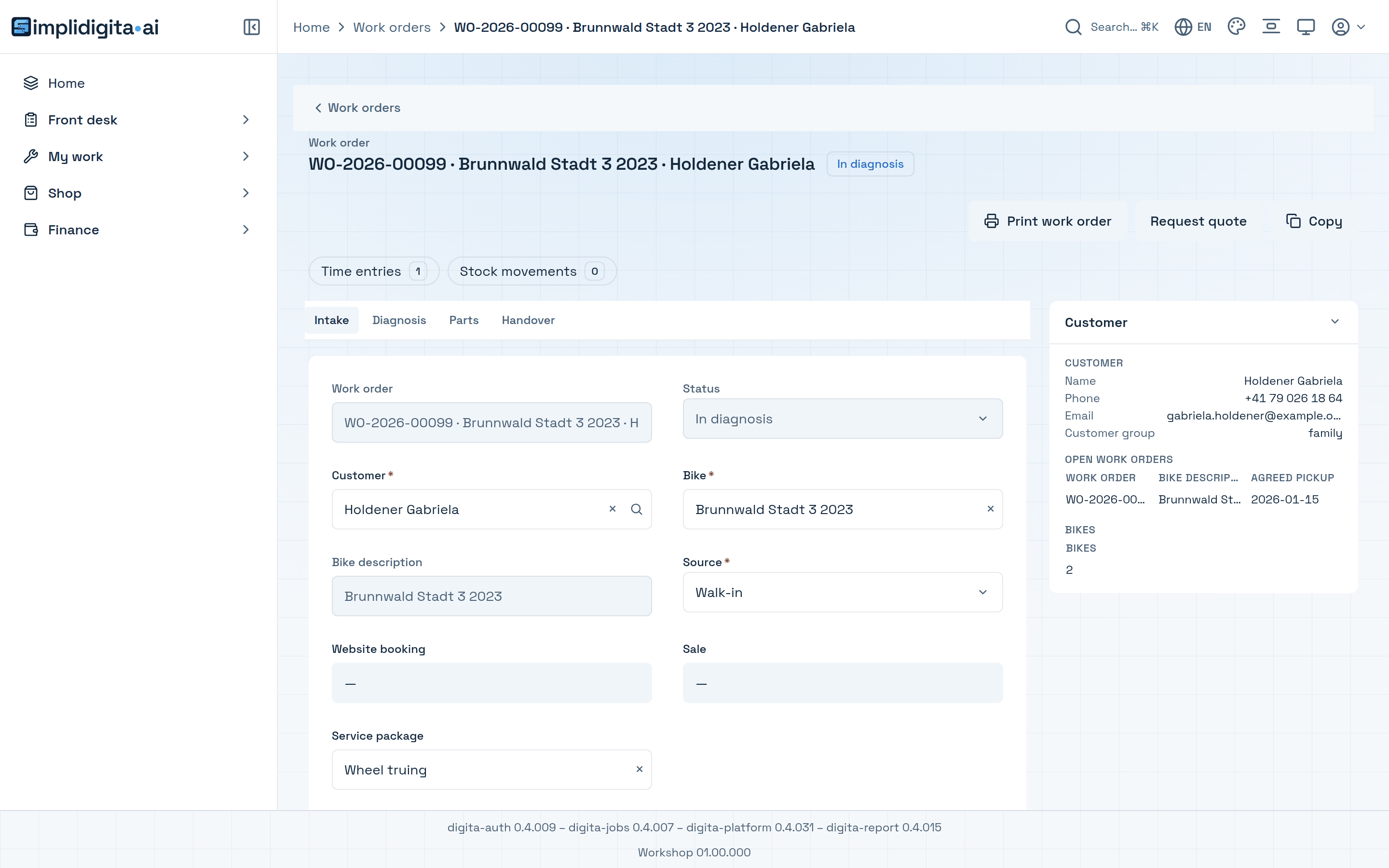
Lists, records, forms and boards, generated from your files. On the desktop and on the phone.
- In all your languages
- Light and dark
- Print from the record
The engine
Reads what the AI built. Serves your records, rules and screens.
One core runs your app and feeds your websites, reports and sign-in.
- Your app
- Websites
- Reports
- Sign-in
- Jobs

Reminders, imports, month-end runs: finished in the background, even after an interruption.
See it live, with your own process.
Each demo runs a fictional company. One click signs you in.
For engineers: how it is built
Every claim above, traced to the part that makes it true.
Step 1 · what the AI writes
| Part | What it does |
|---|---|
| entity JSON | One file per record type: its fields, numbering, states, who may see what, and which reports are printed from it. |
| hooks (TypeScript) | Small TypeScript functions the engine calls on validation, submit, field change, computed fields and actions. |
| rules · views | Business rules, lists, boards and dashboards, all declared in JSON. |
| seeds · demo seeds | Roles, menu and master data, plus a demo tier with realistic records. |
| translations | One file per language for every label, state and message. |
| reports | Report definitions with bands, data sources and objects, linked to the record's Print button. |
| website | A website is three seed files: the site, its pages as blocks, its menu. No site-specific code. |
| apps.yaml | The app's manifest: title, description, databases and seed tiers. |
| check-app.mjs | Validates the schema of every entity and view, link targets, seeds, permissions, reports, reserved names and the expression grammar before anything is built. |
Step 2 · the one-time setup
| Part | What it does |
|---|---|
| stages | Try out, approve and live are the stages dev, test and prod: one namespace, one registration and one set of databases each. |
| create-tenant | The cloud console creates the tenant: identity keys, isolation, DNS. Then it waits for the first sync and runs a smoke test. |
| tenant-apps-repo | Creates the tenant's own catalog repository from the template and builds its first bundle. |
| add-app | Adds an app to a running tenant: isolation, sync grant, registration, sync, smoke test, inventory. |
| registration | One registration file per tenant and stage: apps, seed tiers, databases, bundle image, DNS zone. |
Step 3 · from release to live
| Part | What it does |
|---|---|
| release.sh | Refuses uncommitted changes, creates one tag per version and channel, and pushes the deploy ref. That push is the only build trigger. |
| webhook | The push of the deploy ref reaches the build cluster. The signature is checked, stage and tag are read from the ref, and one Tekton pipeline run starts. |
| pipeline | The pipeline clones the tag, verifies the repository against its registration, checks the manifest against the attested builds, scans, probes the registry, builds the image and updates the stage. |
| bundle image | Hooks are compiled during the image build; the file tree is laid out exactly as the engine reads it, on a busybox base. |
| stage update · ArgoCD | The stage update writes the image tag into the stage's version file and the tenant registration and triggers an ArgoCD sync; an ApplicationSet renders one service per tenant from the registration files. |
| bundle mount | An init container copies the bundle into the pod; engine, report service and sign-in read the same file tree. |
| engine boot | The engine discovers every app folder, registers its databases and loads entities, hooks, seeds, rules, views and site content. |
| stage in the ref | The stage is part of the ref. Promoting a release means pushing the same tag under the next stage's ref. The pipeline probes and updates the stage; nothing is rebuilt. |
| set-release | The console's set-release run watches the delivery branch and the synced ArgoCD Application until both show the new version. |
| platform update | Updating an app never rebuilds the engine image. A platform update is one version entry per chart and stage. |
The platform
| Part | What it does |
|---|---|
| The engine | Discovers every app folder, registers its databases, loads entities, hooks, seeds, rules, views and site content, and serves the API the other components use. |
| Your app | Three routes render every entity: list, record and new. Columns and form fields come from the entity's metadata. |
| Websites | Renders pages and blocks from the engine's public API; forms post back to it. |
| Reports and the designer | App reports are loaded from the bundle as locked definitions; the designer adds further ones. PDFs come from the record's Print button. |
| Sign-in | One identity provider per tenant, seeded with the app's role users from the bundle. |
| Jobs | Queue, schedules and retries. Calls entity actions in chunks and resumes after a crash. |
| Delivery | Our cloud console, cluster definitions and Helm charts cover the one-time setup and every release. |
| Screens | Screens from the demo with sample data, each in light and dark. |
is built entirely on the latest web technology.
Builds and runs your website and your apps in its own cloud.
Reports with their designer, jobs and sign-in are built into every app and included.